
You spent two weeks sketching a custom glass pipe. You exported the file, attached it to an email, and hit send with confidence. Two days later the factory replies: sorry, we cannot open this file. Or worse, they open it, quote a price, and ship a sample that looks nothing like your design. The design files factories need — CAD, STEP, or a clean hand sketch — are the difference between that outcome and a sample you approve.
File format problems sink more custom glass projects than bad pricing or slow shipping. The factory is rarely the villain here. The mismatch between design software and production machinery is the real cause, and it is entirely preventable.
This guide explains which design files glass factories actually need. It covers the STEP standard, the formats to avoid, and the tech pack documents that travel with your 3D model. No CAD experience required.
Key Takeaways
- STEP (ISO 10303) is the safest file format to send any glass factory. It opens in every major CAD program.
- STL files look three-dimensional but carry no smooth curve data, which mold makers need.
- Sketches work. Factories like Elfglass convert hand drawings into production-ready 3D models within 48 hours.
- Always send units, tolerances, and material specifications alongside the 3D file.
- Sign an NDA before you send any file. Ownership and confidentiality come first.
Table of Contents
- Why File Format Matters When Commissioning Custom Glass
- The File Hierarchy: From Sketch to Production Ready
- STEP Files: The Universal Language of Manufacturing
- STL IGES and Other Formats: When They Work and When They Don’t
- What If You Only Have Sketches
- The Tech Pack: Beyond Just the 3D File
- Common Mistakes Buyers Make When Sending Design Files
- Elfglass Design to Sample Workflow
- FAQ
Why File Format Matters When Commissioning Custom Glass
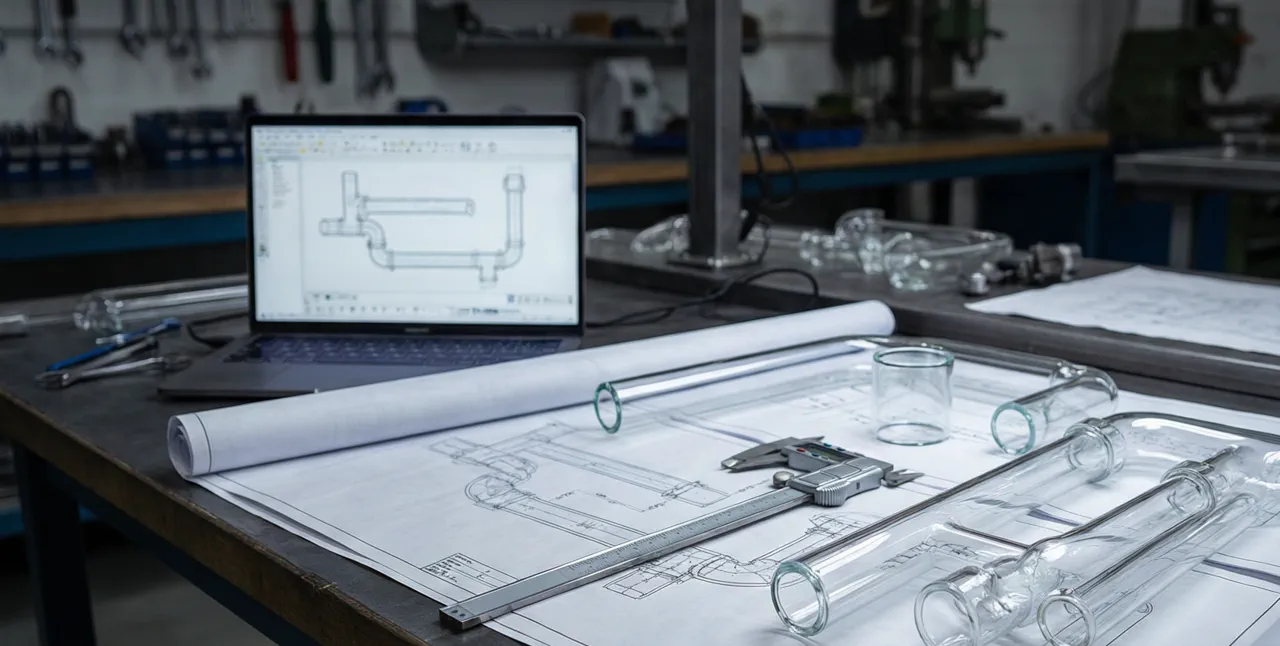
Glass pipes are not flat parts. They combine compound curves, hollow chambers, and precise wall thicknesses into one object. A factory cutting a mold needs exact geometry data, not a picture of geometry.
Send the wrong file type and one of three things happens. The factory cannot open it and asks for a resend, which burns two to four days. The factory opens it but loses data, so curves degrade into faceted approximations. Or the factory simply guesses your intent, and guesses rarely favor the buyer.
One sourcing manager sent screenshots of a 3D model to a supplier. The sample came back with a mouthpiece angle off by roughly fifteen degrees, because the factory had estimated that angle from a flat image. The redraw and resample cycle added nearly two weeks to the timeline.
The right file removes interpretation from the process. It tells the machining equipment exactly where every curve starts, bends, and ends. That is why format choice matters before price negotiation even begins.
The File Hierarchy: From Sketch to Production Ready
Design files exist on a ladder. Each rung carries more manufacturing information than the one below it. Knowing where your file sits on that ladder tells you what a factory can do with it.
| Stage | Typical formats | What it carries | Production ready? |
|---|---|---|---|
| Hand sketch | JPG, PDF, photo | Idea and rough shape | No |
| 2D drawing | DXF, DWG, PDF | Dimensions for one view | Partially |
| Native 3D model | SLDPRT, IPT, F3D | Full parametric geometry | Software dependent |
| STEP exchange file | STEP, STP | Full geometry plus metadata | Yes, universal |
| Mesh file | STL, OBJ, 3MF | Surface triangles only | No |
A hand sketch captures intent. A 2D drawing captures dimensions for one view or profile. A native 3D model captures everything, but it only opens in the software that created it. The STEP file sits at the top of the ladder because it carries full geometry and opens everywhere.
Mesh files confuse buyers because they render beautifully in previews. Rendering is not manufacturing. A mesh describes a shell of flat triangles, while a mold maker needs mathematically defined curves. Hold that distinction in mind and the rest of this guide gets much easier.
STEP Files: The Universal Language of Manufacturing
STEP stands for Standard for the Exchange of Product model data. The format is standardized as ISO 10303, first published in 1994. Three decades later it still governs how factories trade 3D design data.

A STEP file stores B-rep geometry, short for boundary representation. That means every face, edge, and curve of your part is defined with exact mathematics. The file also stores metadata: part names, colors, and assembly structure. When a factory imports your STEP file, they see your pipe exactly as your designer defined it.
The format works across every major CAD platform. SolidWorks, Autodesk Inventor, Fusion 360, PTC Creo, Siemens NX, and CATIA all import and export STEP natively. That universality matters when your designer works in Fusion 360 and the factory runs SolidWorks. Neither side changes software; the file simply moves.
For borosilicate glass, STEP files carry one extra advantage. Glass molds need smooth, continuous curves, and B-rep geometry preserves those curves perfectly. When a CNC machine cuts a graphite or steel mold from your STEP data, every sweep of the pipe stays true to the design.
If you can only send one file, make it a STEP. That is not a personal preference. It is the industry default.
STL IGES and Other Formats: When They Work and When They Don’t
Buyers often send whatever file their designer exported first. Sometimes that works. Often it creates a week of back-and-forth.
STL files triangulate surfaces into thousands of tiny flat triangles. 3D printers love STL because printers build parts in layers anyway. Mold makers dislike it because triangles only approximate curves. A swooping percolator arm becomes a faceted polygon. The factory can reconstruct smooth geometry from the mesh, but that work takes hours and introduces small errors.
IGES dates back to 1980 and stores surface data rather than solid bodies. STEP superseded it decades ago, and many modern CAD tools import IGES poorly or not at all. If a factory asks you to send IGES specifically, that request says something dated about their tooling.
OBJ and 3MF files serve visualization and 3D printing workflows. They carry no engineering metadata, and no mold shop will machine directly from them. DXF files describe flat 2D profiles, useful for logo placement or cross-section references. A glass pipe is not flat, though, so DXF can supplement a 3D file but never replace it.
| Format | Geometry type | Works for molds? | Best use |
|---|---|---|---|
| STEP | Exact solid B-rep | Yes | Primary exchange file |
| STL | Triangle mesh | No | 3D printing previews |
| IGES | Legacy surfaces | Rarely | Avoid, outdated |
| OBJ / 3MF | Mesh with visuals | No | Renders and previews |
| DXF | 2D profile only | Partially | Flat patterns, sections |
When artists submit designs for licensed production, the same file requirements apply. Our artist collaboration guide explains how the production workflow handles design files from initial submission through sampling.
Here is the insider warning. Some factories accept an STL and quote immediately. They plan to rebuild the geometry quietly, then adjust the price later, or simply eyeball the dimensions. Ask any factory which format it prefers before you send anything. The answer tells you how serious the engineering desk really is.
Turn Your Design Into a Glass Pipe Prototype
Elfglass accepts sketches, 2D drawings, and 3D STEP files. Our team creates production-ready designs from your concepts — with NDA protection from day one.
Day 1 Communication | Day 2 3D Design | Sampling 1-3 Days
Turn Your Concept Into Production-Ready Glass
Elfglass takes you from design brief and CAD/STEP files to prototyping, branding, and mold exclusivity, with your IP protected by NDA. Send us your concept and we will return a manufacturable plan and quote.
MOQ from 100 pieces | BSCI / WRAP / ISO 9001 | NDA before every project
What If You Only Have Sketches
Here is the reassurance most sourcing guides skip. You do not need CAD skills to commission custom glass. Factories handle the translation from paper to model every day.
Elfglass accepts hand sketches, 2D drawings, and reference photos as project inputs. The team reviews your files on day one, then converts them into a 3D model on day two. They call that internal step 3D Magic. You receive a rendering to approve before anyone touches a mold.
Good sketches produce good samples. Five details raise a sketch from guessable to production-grade:
- Overall length and height, measured in millimeters.
- Outer diameter of the tube at its key points.
- Wall thickness, or at least a note reading standard wall.
- A cross-section view anywhere the shape changes along the length.
- Reference photos of similar products you like, or dislike.
A vague sketch forces the factory to make decisions for you. Send a photo with the note make it look like this, and you get the factory’s interpretation of that photo. Specificity protects your vision better than enthusiasm does.
If your sketch lacks dimensions, send a physical object instead. One buyer shipped a hand-blown prototype to Shenzhen and received a production-ready drawing back within three days. A physical reference beats a blurry photo every single time.
The Tech Pack: Beyond Just the 3D File
A 3D file answers one question: what shape is it? The tech pack answers everything else. It is the document bundle that travels with your geometry file.
Buyers who send complete tech packs approve samples faster, often on the first round instead of the third. Every missing detail becomes a question, and every question costs a day of waiting. The bundle does not need to be long. It needs to be complete.
A solid tech pack for a custom glass pipe includes six elements:
- The STEP file, plus a PDF rendering for quick visual reference.
- A 2D drawing with critical dimensions and tolerances called out. Agree tolerance ranges with the factory before production — glass cannot hold the same precision as machined metal.
- Material specification. 3.3 borosilicate glass is the standard for quality pipes.
- Color and finish: clear, color-changing, fumed, sandblasted, or interior patterns.
- Logo placement method such as engraving or decal, with position dimensions.
- Target order quantity and packaging requirements. If you are still testing demand, an MOQ-100 trial order is enough to validate a design before you scale.
Factories with mature intake systems publish exactly what they need from you. The Elfglass process overview lists each handoff from first message to finished sample, which removes most of the guesswork before you send a file. Reading it takes five minutes and saves days of email ping-pong.
One more document matters before any file changes hands: the NDA. Reputable factories sign non-disclosure agreements before reviewing your design, not after. Elfglass signs an NDA before every project begins. If a supplier hesitates at that request, treat the hesitation as your answer. Confidentiality is only half the picture, though: our guide to protecting product design IP when sourcing overseas covers ownership, molds, and what to put in writing.
Common Mistakes Buyers Make When Sending Design Files
Eight mistakes appear in almost every custom glass inquiry. Most cost a few days. Some kill the project outright. All of them are avoidable.
- Sending screenshots instead of files. A JPEG of a CAD model contains zero geometry data, so the factory can only estimate from it.
- Exporting STL when STEP exists. Every program that exports STL also exports STEP. Choose STEP.
- Forgetting units. A pipe drawn at 4.7 in inches but read as millimeters shrinks to a keychain. State your units in the email and in the file.
- Omitting tolerances. Without tolerance callouts, the factory picks its own, usually the loosest one that saves machining time.
- Sending only native files. A SLDPRT file may not open in another software brand, or even in an older version of the same one.
- Skipping the NDA. Files sent without a signed agreement are unprotected files.
- Burying files in chat threads. Email or a shared drive with version numbers prevents the classic which-file-is-latest problem.
- Revising without re-labeling. Name files like PipeV2_2026-08-12.step so nobody cuts a mold from an obsolete version.
Run through that list ten minutes before you press send. It is the cheapest quality control step in the entire project.
Elfglass Design to Sample Workflow
Theory helps. A concrete workflow helps more. Here is how Elfglass moves a design from first file to finished sample inside one week.
Day 1: Communication. The team receives your files, whether STEP, sketches, or photos, and signs an NDA before any review begins. You clarify dimensions, materials, and target quantity in one structured conversation.
Day 2: 3D Design. Designers convert your input into a production-ready 3D model and return renderings for approval. This 3D Magic step catches proportion problems while changes are still free.
Days 1 to 3: Sampling. Approved designs move to the workshop, where artisans pull, shape, and anneal borosilicate glass. Most samples ship within 1 to 3 days of design approval.
Two protections set a serious factory apart here. First, every custom mold belongs exclusively to the customer who commissioned it. Elfglass never reuses your mold for another buyer. Second, the factory supports both OEM work, your design under your brand, and ODM work, a house design customized for you.
Ready to send your files? Reach the team through the contact page and expect a reply with clear file requirements the same business day.
Your action roadmap, in order:
- Gather what you have: a STEP file, drawings, sketches, or reference photos.
- Add dimensions, units, and material notes to anything below a full tech pack.
- Request an NDA before sending files to any factory.
- Send the STEP file when you have one; otherwise send your best measured sketch.
- Approve the 3D rendering before sampling starts. Never skip that gate.
Follow those five steps and your first sample will look like your design. Not like a guess.
FAQ
Can a factory make a glass pipe from just a hand sketch or photo?
Yes. Factories like Elfglass accept sketches and photos, then build a 3D model for your approval before sampling. Sketches work best with millimeter dimensions, wall thickness notes, and reference photos attached. A sketch without any measurements forces the factory to guess, and guessing causes revision rounds.
What is the difference between STEP and STL files?
STEP stores exact solid geometry and metadata, and it opens in every major CAD program. STL stores a shell of flat triangles designed for 3D printing. Factories machine molds directly from STEP files, while STL files require reconstruction that adds time and error.
Do I need to know CAD software to order custom glass pipes?
No. You can provide sketches, 2D drawings, or even a physical reference object. The factory design team converts your input into a production-ready 3D model and sends renderings for approval. You judge the result by eye, with no software knowledge required.
Who owns the mold once the factory builds it?
That depends on your agreement with the supplier. Elfglass assigns every custom mold exclusively to the customer who paid for it and never reuses it for other buyers. Put mold ownership in writing before production begins, because policies differ between factories.
Should I sign an NDA before sending design files?
Yes, always. A non-disclosure agreement protects your design before anyone at the factory reviews it. Elfglass signs an NDA before every project starts, so treat any supplier who refuses or delays that step as a red flag.
Frequently Asked Questions
Can a factory make a glass pipe from just a hand sketch or photo?
Yes. Factories like Elfglass accept sketches and photos, then build a 3D model for your approval before sampling. Sketches work best with millimeter dimensions, wall thickness notes, and reference photos attached. A sketch without any measurements forces the factory to guess, and guessing causes revision rounds.
What is the difference between STEP and STL files?
STEP stores exact solid geometry and metadata, and it opens in every major CAD program. STL stores a shell of flat triangles designed for 3D printing. Factories machine molds directly from STEP files, while STL files require reconstruction that adds time and error.
Do I need to know CAD software to order custom glass pipes?
No. You can provide sketches, 2D drawings, or even a physical reference object. The factory design team converts your input into a production-ready 3D model and sends renderings for approval. You judge the result by eye, with no software knowledge required.
Who owns the mold once the factory builds it?
That depends on your agreement with the supplier. Elfglass assigns every custom mold exclusively to the customer who paid for it and never reuses it for other buyers. Put mold ownership in writing before production begins, because policies differ between factories.
Should I sign an NDA before sending design files?
Yes, always. A non-disclosure agreement protects your design before anyone at the factory reviews it. Elfglass signs an NDA before every project starts, so treat any supplier who refuses or delays that step as a red flag.
Get a Quote for Your Next Order
Planning a custom run? your CAD and STEP files, translated into a quotable spec? Send your design files and target quantity to our factory team or message us on WhatsApp — we will reply with a feasibility check, pricing, and production timeline within 24 hours.
About the Author
Ava Zeng is the founder of Elfglass, a Shenzhen-based borosilicate glass pipe manufacturer serving B2B brands worldwide. Every guide on this site is grounded in her production-floor experience— the annealing lines, QC checkpoints, and export orders behind each claim.
Before you commit to a supplier, read her founder’s story and trust promise, and the guide to vetting a reliable glass pipe manufacturer— the same red-flag checklist Elfglass applies to its own suppliers.
File-format requirements match the interoperability standards in computer-aided design workflows, where STEP and IGES bridge different modeling kernels.
Ready to Source Custom Glass Pipes?
Get a free quote within 24 hours. MOQ from 100 pieces. NDA-protected design consultation.
